Phase 2#
Phase 2 Begins: Making the App Truly Cross Platform#
With the foundation and core functionalities in place, Phase 2 focused on transforming the app into a fully cross-platform solution. During this stage, I worked on adapting the user interface and interaction flows to function seamlessly across Android, iOS and desktop.
Dyanamic Layouts and Responsive Design#
To support a wide variety of devices and screen sizes, I reworked the app’s UI to use dynamic and responsive layouts. This ensured that instruments and controls automatically adapted to different orientations, resolutions, and aspect ratios, maintaining a clean and intuitive user experience on both mobile and desktop platforms.
Automated Screenshot Pipelines#
To streamline the testing and documentation process, I implemented automated screenshot pipelines. These pipelines capture screenshots of the app’s UI across different devices and screen sizes on every pull request and push event, ensuring consistent visual representation in the documentation.
App Store Releases#
I prepared and published the app on various platforms, including the Google Play Store and F-Droid Store for Android and the Apple App Store for iOS. This involved setting up the necessary configurations, assets, and compliance with store guidelines to ensure a smooth submission and review process.
Extending Support to Desktop Platforms#
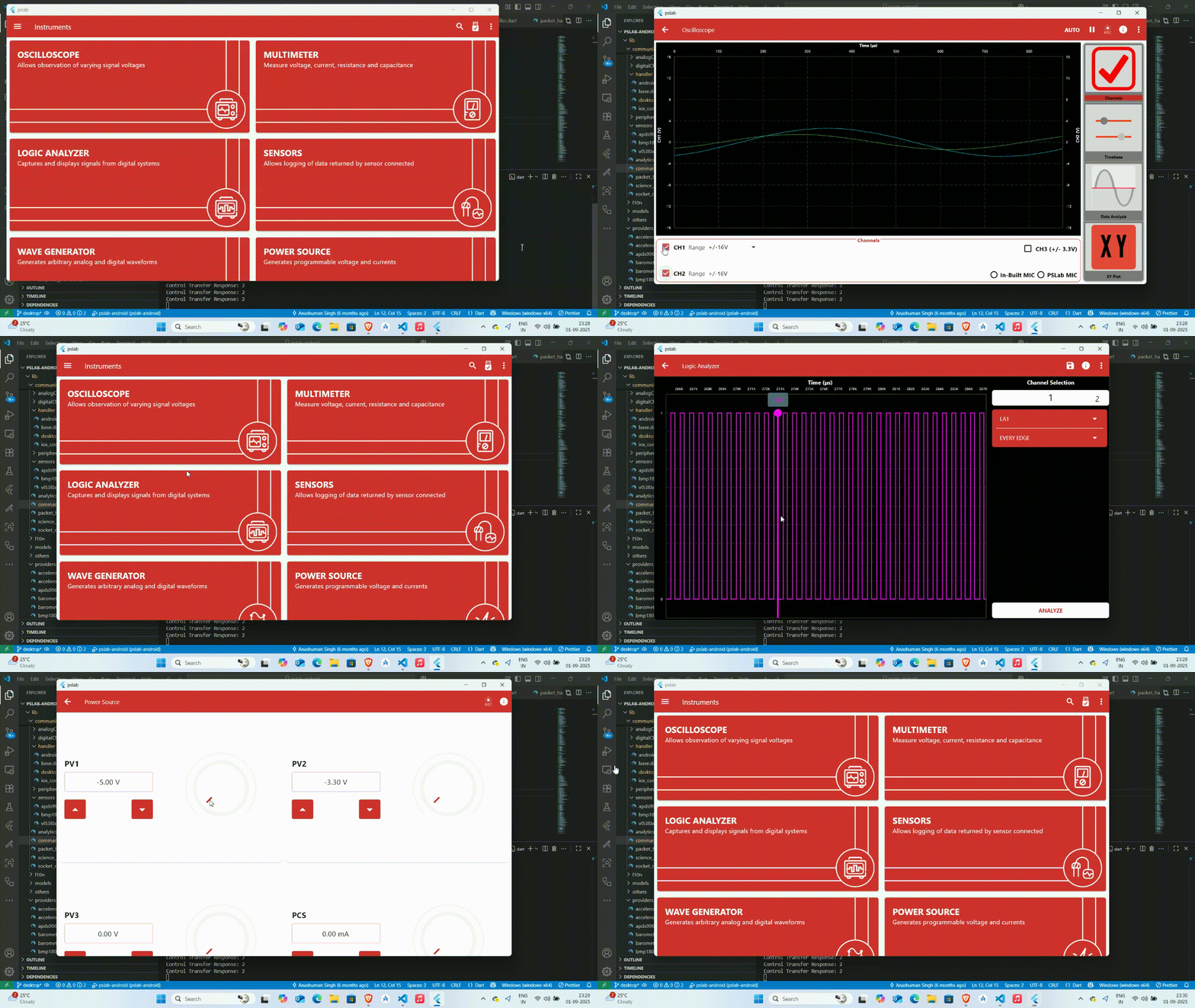
To bring PSLab to desktop (Windows, Linux & macOS) platforms, I implemented native USB communication as well as WiFi support, enabling seamless interaction between the PSLab device and desktop application. This advancement allowed desktop users to connect and use the PSLab device just as effortlessly as mobile users, significantly expanding the project’s accessibility:
Completing Remaining Functionality#
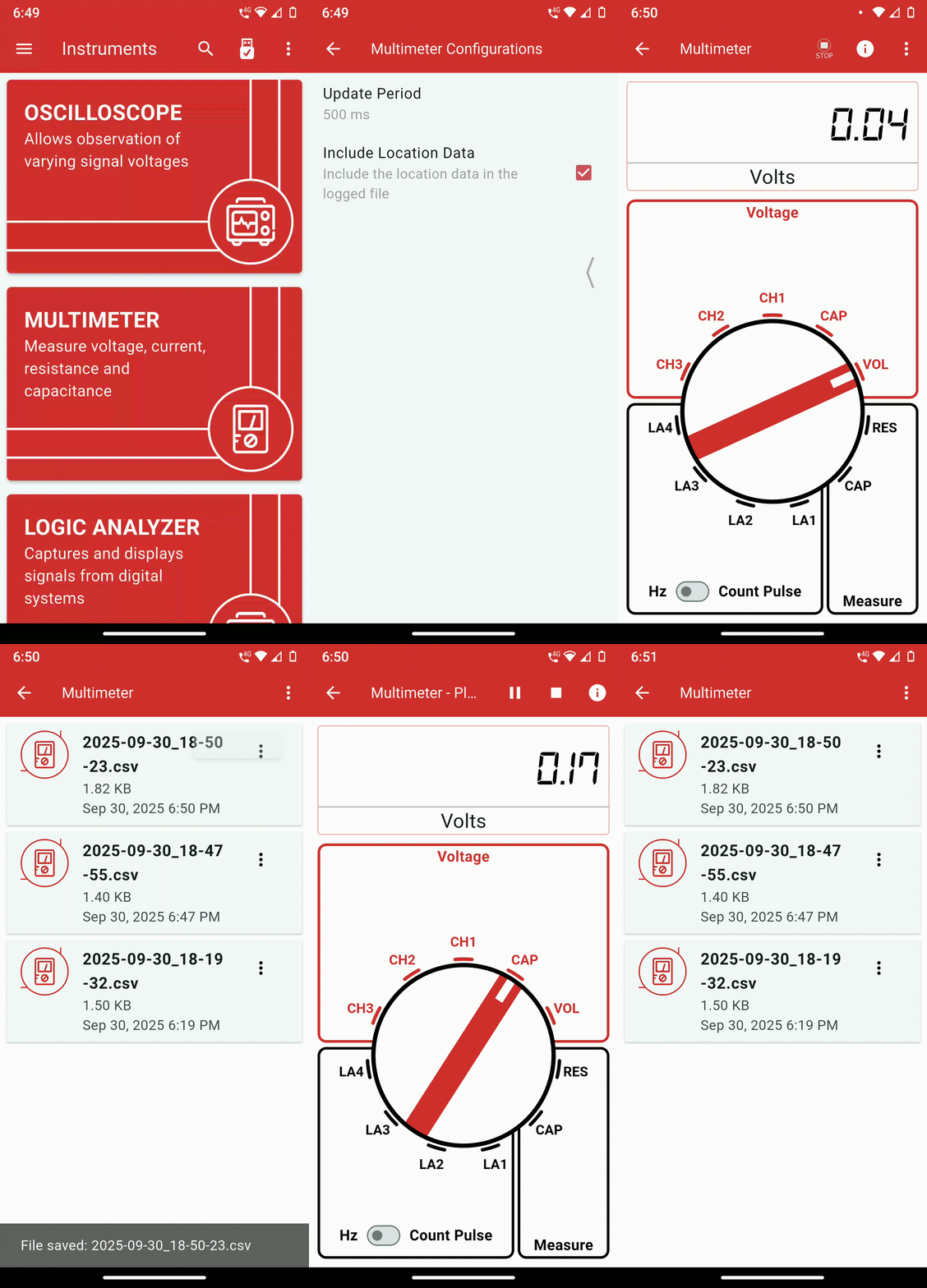
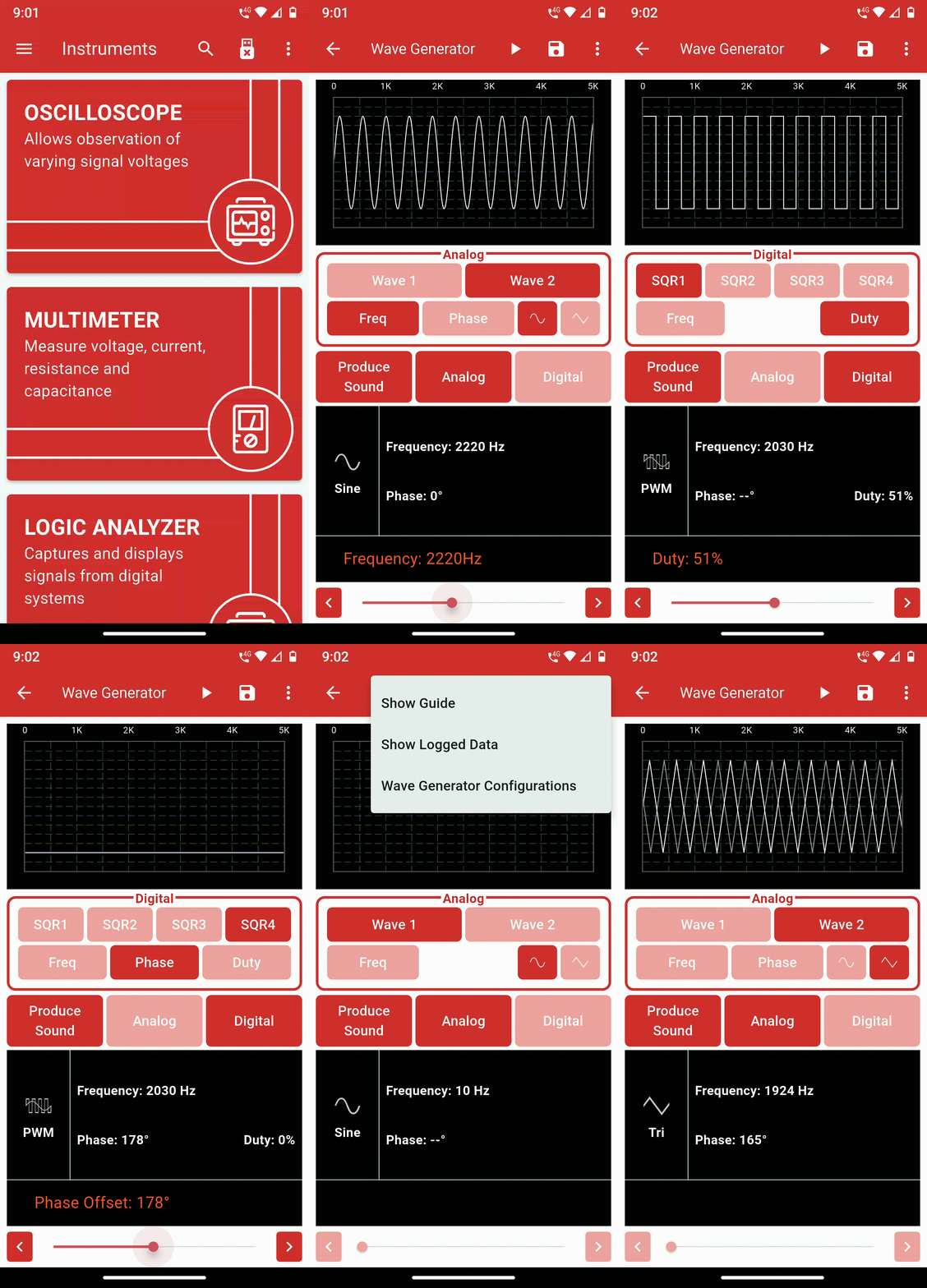
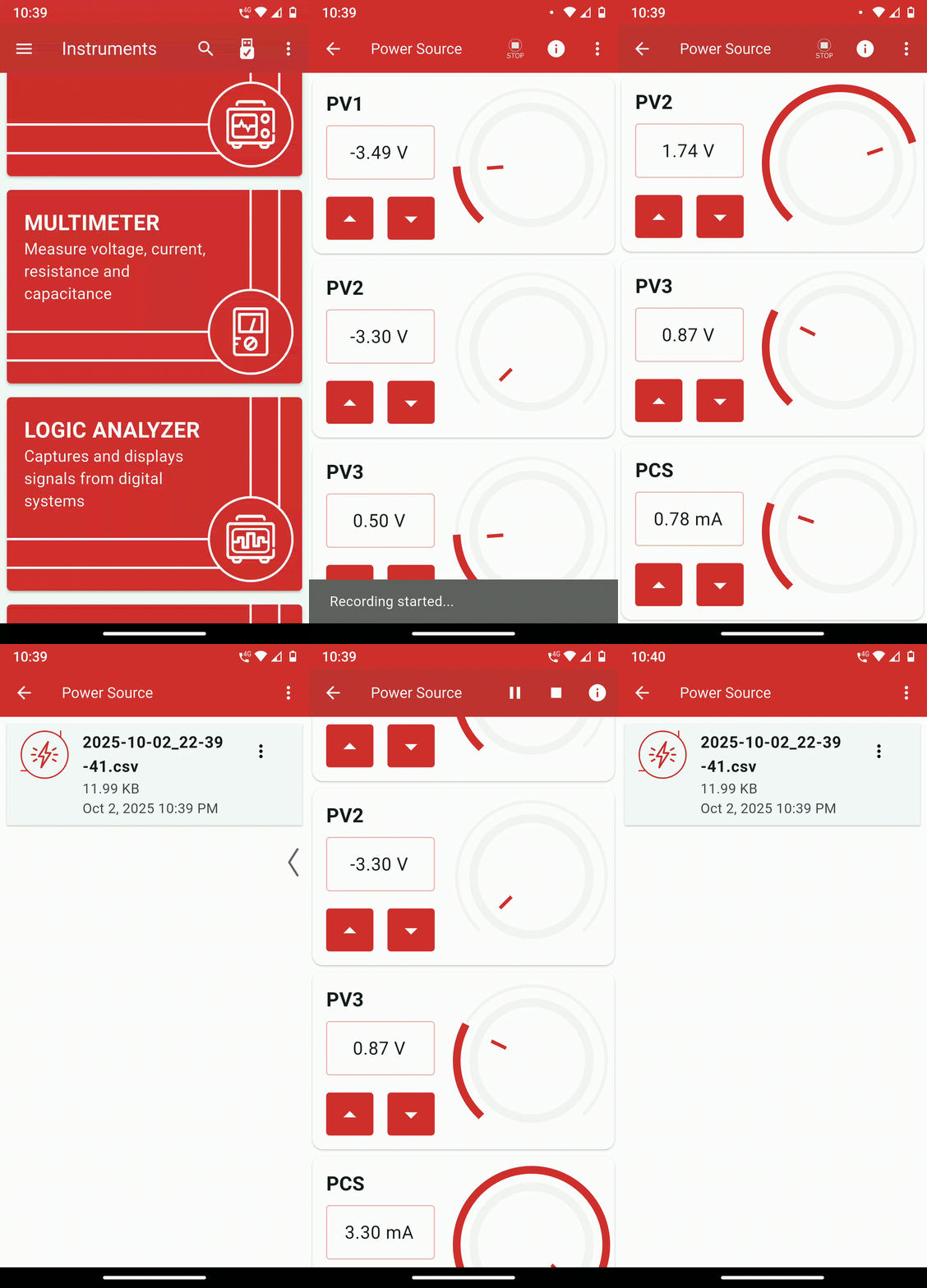
In the final stage of development, I focused on completing the remaining functionality for all core instruments, ensuring feature parity with the legacy app. A major enhancement during this phase was the introduction of data logging, allowing users to record measurements in CSV format for later analysis, along with the addition of configuration screens for each instrument. I also integrated location tagging and a data playback feature, enabling users to revisit recorded sessions and visualize readings over time — a valuable addition for experiments and field measurements. These features collectively made the new cross-platform PSLab app more powerful, data-driven, and user-friendly.
Miscellaneous Work#
Alongside major development tasks, I contributed several improvements that enhanced the project’s workflow, accessibility, and overall stability:
Integrated Weblate Support: Connected the repository with Weblate, enabling community-driven translations and simplifying the process for contributors to localize the app into multiple languages.
Enhanced Build Pipelines: Updated CI/CD pipelines to automatically generate ready-to-ship artifacts on every pull request and push event, including
.exeinstallers for Windows,.deband.rpmpackages for Linux, and.dmgbundles for macOS.General Bug Fixes and Improvements: Performed continuous debugging and minor fixes across the app to improve performance, stability, and cross-platform consistency.